As many of you know, Victron equipment is excellent, and many of you also know that it’s NOT simple plug’n’play. The default settings are rarely ideal. This means a novice DIY’er or even installers that have not been trained, frequently have problems with setting up the basics and ensuring it works as necessary.
Personally I’ve been experimenting with some settings for the Smart Shunt and the Orion XS, charging a PowerPaul Nifty battery. This van is a basic system running an Evacool drawer fridge and a few USB outlets. It also has a Renogy 3000w inverter for infrequent use like a fan heater to take the chill off the air before bed, or defrost the hands after a MTB ride.
So what settings do I use?
Let’s start with the Orion…
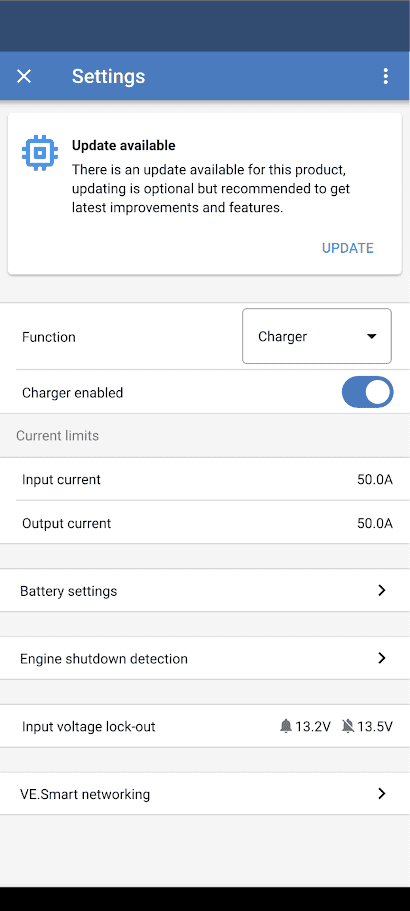
It’s set up as a “Charger”, this enables a couple of voltages to be set, Absorption and Float.
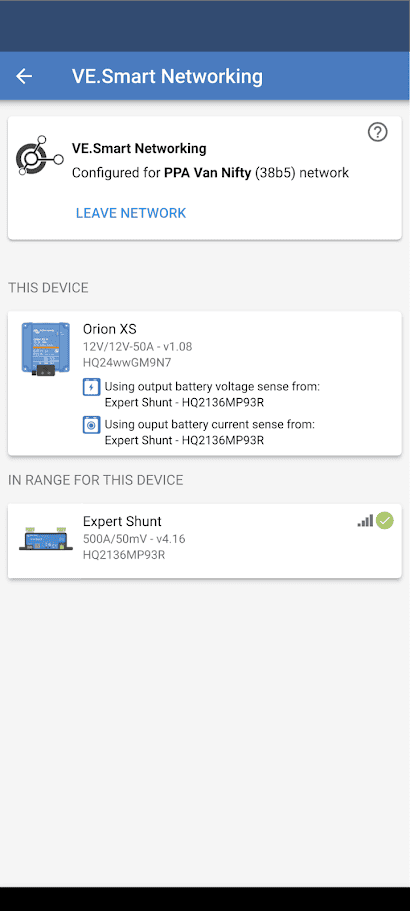
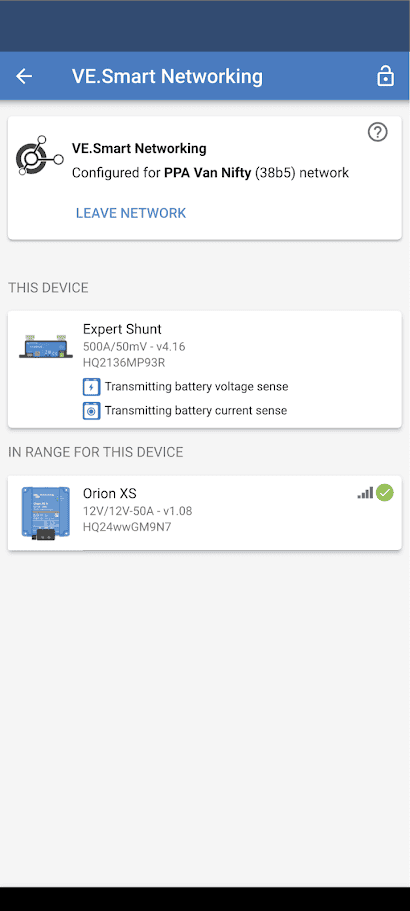
And of course it’s networked via VE.Smart networking to the Shunt.
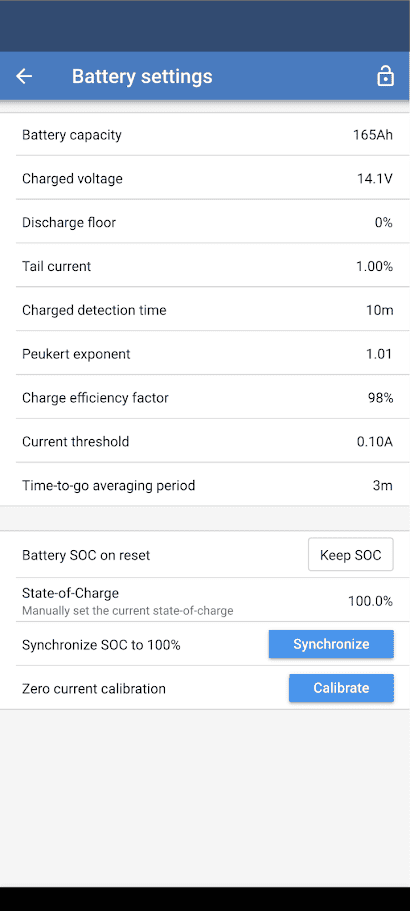
The Battery Settings page…
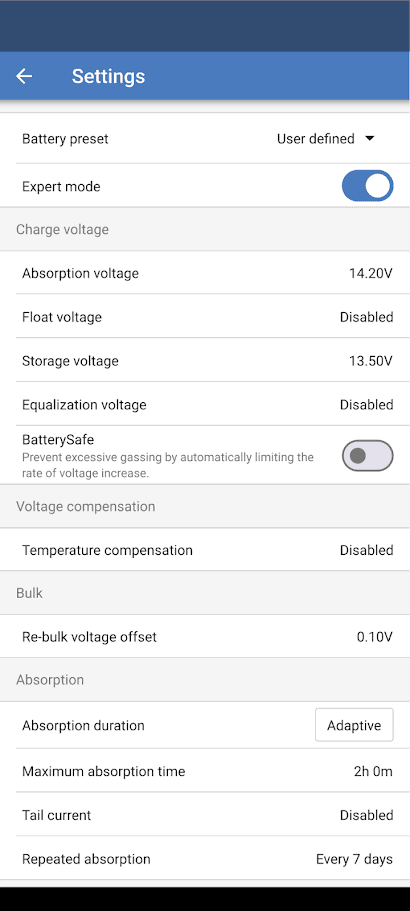
I choose expert mode so there’s plenty to fiddle with.
Absorption voltage is 14.2v. This works perfectly with LiFePO4 chemistry across the board and also works perfectly with PowerPaul Daly Smart BMS settings. Whether it works with other Smart BMS brands is a different story, but they should all suggest this as an Absorption voltage.
I have float disabled because the van is not used often enough for it to be an issue. I do this so when it’s being driven, the charger allows for maximum time at Absorption voltage to Top Balance the battery.
For most people I recommend a float voltage of 13.5v.
Storage voltage doesn’t really apply in this situation, but for setups that plug into mains power for extended periods when not in use (not recommended), drop this to 13.2v.
Other settings on this image are not really used in my situation.
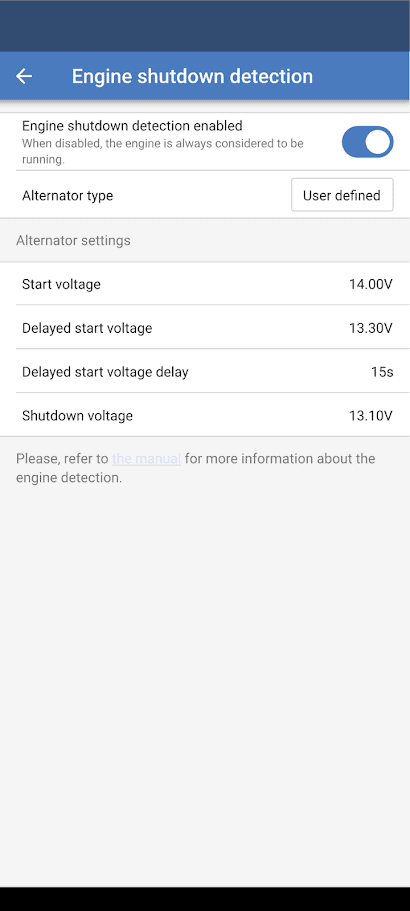
Engine shutdown detection…
This will vary according to the vehicle. My Peugeot Expert has a Smart Alternator so during acceleration it shuts off the alternator to reduce load on the engine. In practice most Euro 5 and above use a smart alternator. Some vehicles can have it disabled and this would be a good option for people traveling full time or very regularly, with high power usage needs. I have not done this modification to mine as it’s not necessary for me.
Onto Smart Shunt settings…
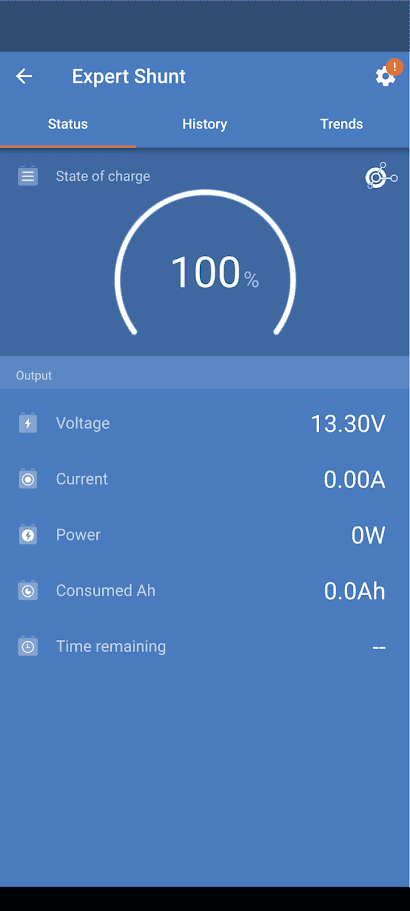
The Shunt not only provides info for charge and discharge to the user, but it also sends this info to the charger so it’s more accurate. It needs to be set correctly so the State of Charge is displayed accurately, without this the SOC can be wildly incorrect.
Normally most people would set the “Charged voltage” to 0.2v below the Charger Absorption voltage, however I have reduced this difference to just 0.1v and set mine at 14.1v.
I have also reduced the “Tail current” to 1% instead of 3%. This means the next trigger point for 100% SOC is just 1.65A.
The “Charged detection time” is also higher than the usual 3 minutes, I have chosen 10 minutes.
The 3 parameters above mean this…
For the SOC to be reset to 100%, we need the following
Battery voltage must be 14.1v or above,
AND, the charge current must be below 1.65A,
AND, this must be true for a period of at least 10 minutes.
This is a departure from the usual which would be 14.0v, 4.95A and 3 minutes. With the usual figures, the battery may still actually be top balancing and I don’t consider that to be fully charged.
The other settings such as Peukert exponent and Charge efficiency factor are just based on what I have seen here, and a percent difference either way is going to make very little difference in my setup.
“Battery SOC on reset” is an important one that people get wrong a lot. Always set this to Keep SOC, this means if the battery is disconnected or the BMS cuts off for any reason, your system won’t automatically say the battery is 100% SOC when it reconnects.
Providing the Smart Shunt settings are correct, you DO NOT EVER need to “Synchronize” your SOC to 100%. This happens automatically, so many forums have this mistake engrained into people’s minds, it’s very frustrating.
If you have specific questions or have tried unusual settings with confirmed good results, feel free to comment below.
As always, these are not “recommended” settings for any particular person to use. You could use these as a starting point and tweak to suit your own needs. If you’re unsure of something, please don’t adjust it until you speak to a professional regarding the possible side effects.