BMS fundamentals… PowerPaul flavour… This is what consumes our days here, as well as building and handling sales, we go right into the guts of what, how, why, when and more…

Here are some fundamental limits, triggers and hints regarding the Daly BMS’s (Scout parameters mentioned here). This will probably answer some questions for various people, but may also cause questions to be asked, which is fine because the whole point is to educate people. These are very recently updated figures that are applicable to batteries produced from today onwards. Previous batteries have a variety of different settings as we developed a better understanding of how to make the best use of the BMS features. Some of these figures may also change if need be.
The continuous rated discharge current for the BMS is 250A. The maximum allowed is suggested to be 1.5 times this which would be 375A (we set it safely at 300A). The short circuit current must be set to a minimum of 2.5 times the maximum (we set it at 800A). If any of these limits are exceeded, the discharge MOS circuit is turned off. Note that a short circuit is not covered under warranty, and the BMS can sometimes be sacrificial while protecting the cells. If you experience a major short circuit and the battery no longer works as expected, we can repair it but there will be parts and labour cost involved.
The continuous rated charge current for the BMS is 125A. We set the maximum at 150A to allow for short bursts of higher current. Most people tend to charge at 30-50A from DC-DC chargers, and up to 30A from solar for single battery installations. Always have all parallel batteries at similar SOC and similar voltage before joining them. NEVER “jump start” a lithium battery from another lithium battery. Connecting a full lithium battery to a flat lithium battery will cause much higher current to flow than is acceptable, and this could cause damage, so NEVER do that.
If a cell voltage falls below 2.5v, the battery will indicate 0% SOC. If it continues to fall to below 2.0v, it will disconnect the discharge MOS circuit. Conversely if a cell voltage rises above 3.65v, it will disconnect the charge MOS circuit. Triggering the BMS to show 100% SOC occurs when the sum voltage reaches 14.1v. You may still see a small amount of charge after this as it absorbs and balances. If the battery charge circuit has disconnected, and the SOC is not 100%, then the cells are likely unbalanced, and it will need some time on a 14.2-14.5v low current supply to balance. Some of these functions are not enabled in the standard Daly firmware (meaning a Daly BMS you purchase elsewhere), we have specific PowerPaul firmware to work this way.
SOC between 1% and 99% is a calculation, this is done by coulomb counting and is dependant on the capacity of the cells and the internal current shunt being set correctly. This task is time consuming and quite complex to get right. During testing of the battery, we use approximately 12 hours of data to calculate and double check these parameters. The SOC can also drift over time, however for most people using it daily, a full charge every couple of weeks will keep the BMS reading accurately enough for general use.
If the battery temperature rises above 60 deg C, it will stop both charge and discharge. If it falls below 0 deg C it will stop charging. If it falls below -20 deg C it will also stop the discharge function. None of these events have been reported to us in 3 years, so we think the range is adequate for the majority of users, and is safe for the cells. At very low and very high temperatures, you should limit the current to reduce stress and degradation.
The button on the 4 bar LED display performs the function of resetting the battery after a fault, and it also resets the Bluetooth module. Normally the battery will reset itself when the fault has been rectified, but if the battery has gone to sleep (which happens if it is severely discharged), you can press the button to wake it up. If the BT function isn’t behaving, hold the button down until the display turns off, then wait 5 seconds and press the button again so the display turns on. You should also completely close the App on your device and restart it too. BT connection issues are almost always the fault of the device connecting to the battery.
These batteries store incredible amounts of energy, so they need to be treated with some respect. Doing this will provide you with many years of use. So play your part in maintaining your battery by understanding how it works, monitor it and get used to when you need to slow usage and put more charge in. And understand how the components connected to it work too, this will help you if/when something goes wrong, it can save you a lot of frustration and expense especially if travelling alone or in remote locations.
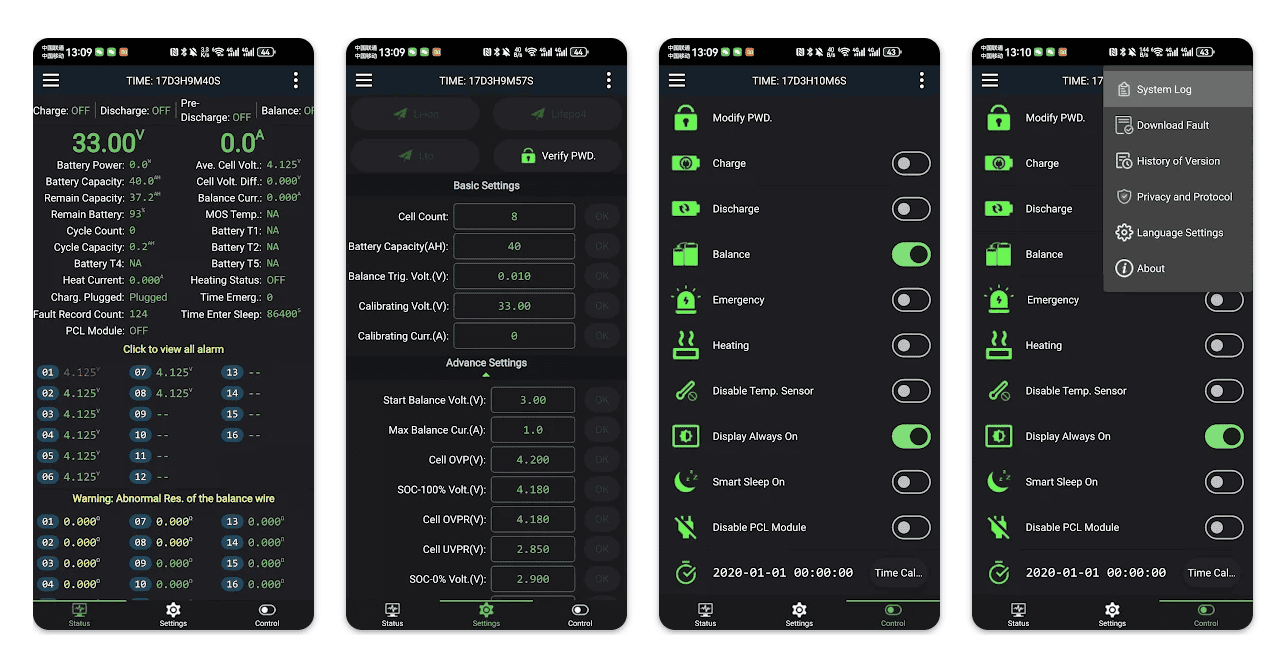
If you have a PowerPaul battery, and something isn’t working right with your system, we can usually provide quick and accurate advice without even seeing it. Simply get in touch with us (message or email), telling us what seems to be happening, and grab a screenshot of the battery App showing the cell voltages. This small amount of information usually gives us enough detail to suggest what may be happening, and we will delve deeper if that answer doesn’t solve the issue. It’s one of the things we love about using a “Smart BMS”, because it’s a complex diagnostic tool built right into your system, than can not only show us what is going on inside the battery, but what may be going wrong with other components.