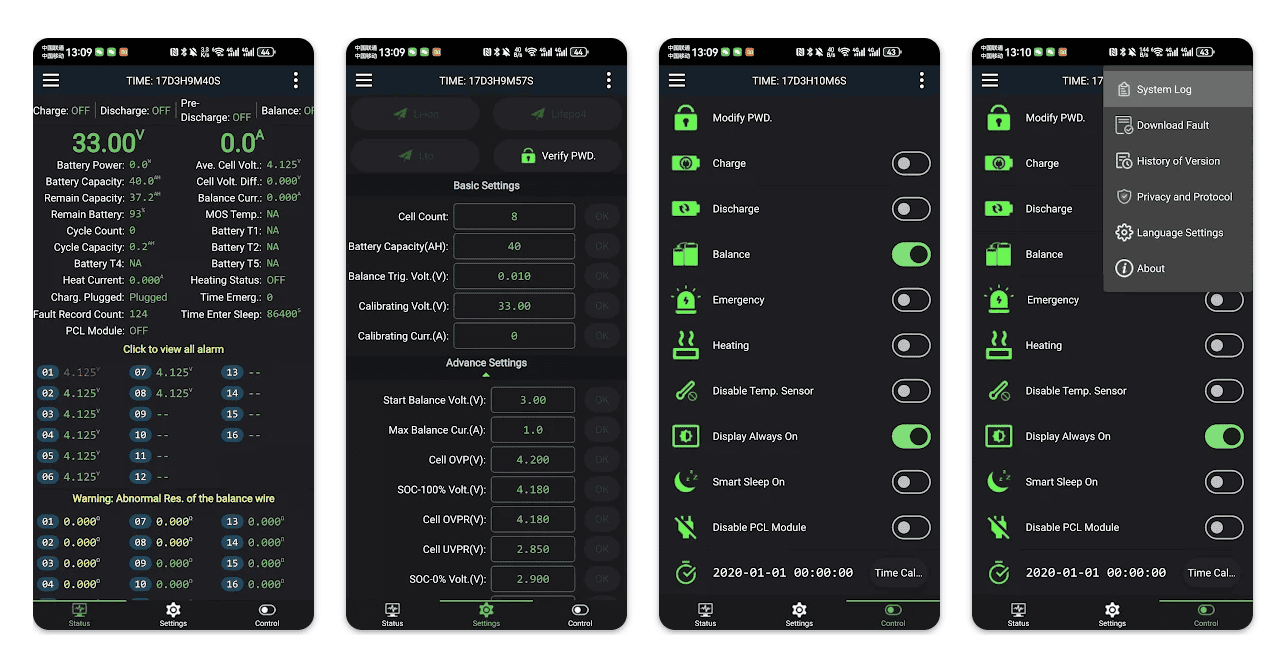
PowerPaul does not provide system specific or individual advice. You can follow the suggestions below and adjust as necessary for your setup. None of these settings are set in stone, they are variable according to how the system as a whole is designed to work. Following the settings below can be a good starting point, but may not be ideal for your specific setup. If in doubt, seek the help of a professional to install and set up your system. You can find a list of good installers here…
The settings below may change as features are improved or new settings are tested.
First up is the Victron Smart Shunt
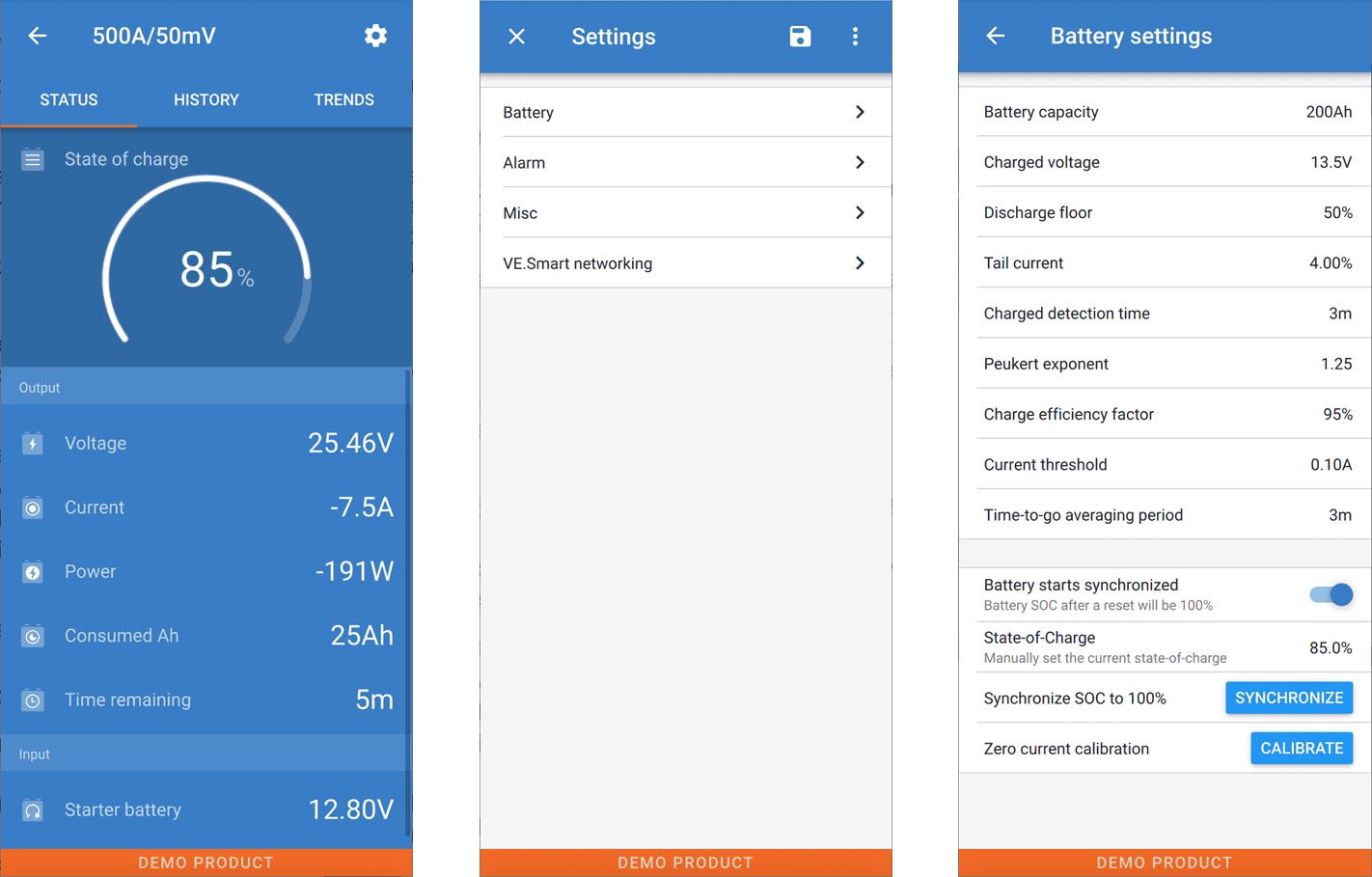
Battery capacity – Set this to your battery Ah rating (total of all batteries in parallel)
Charged voltage – Normally this should be 0.2v below the Bulk or Absorption voltage. For most people they can set it at 14.0v
Current measurement direction – Normal
Discharge floor – if you want to have exact battery capacity, set this at 0%. However if you want 10% “reserve” capacity, then set it at 10%
Tail Current – Default is 4%, this works but I have experimented successfully down to as low as1%
Charged detection time – 10m.
Peukert exponent – 1.01
Charge efficiency factor – 98%
Current threshold – 0.10A
Time-to-go averaging period – 3m
Battery SOC on reset – Keep SOC
State-of-Charge – Don’t touch this, let it work automatically
Synchronise SOC to 100% – Don’t touch this, let it work automatically
Zero current calibration – Generally don’t touch this
Next is the MPPT charger
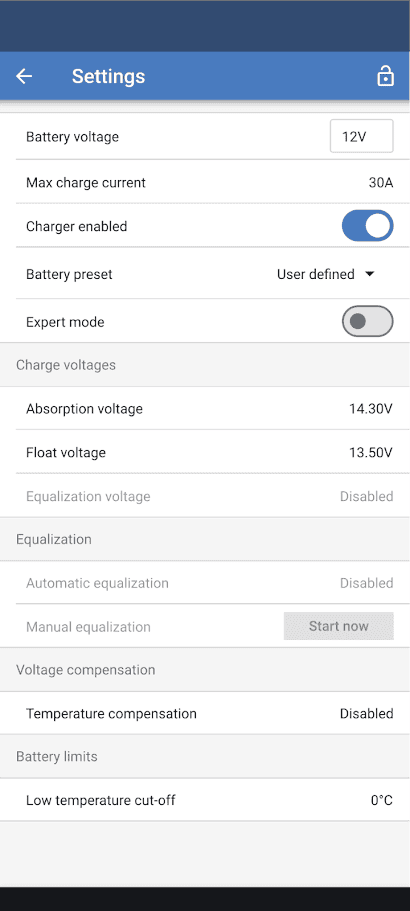
Battery voltage – This will be your system voltage, usually 12v or 24v
Max charge current – Normally leave this at the highest it will go
Charger enabled – leave this on unless you need to shut down charging for some reason
Battery preset – Smart Lithium
Expert mode – If you need this guide, you should leave this off
Charge voltages
Absorption voltage – 14.2v
Float voltage – 13.5v
Equalisation voltage – Disabled (greyed out)
Equalisation
Automatic equalisation – Disabled (greyed out)
Manual equalisation – greyed out
Voltage compensation
Temperature compensation – Disabled
Battery limits
Low temperature cut-off – 0°C
Orion XS DC-DC
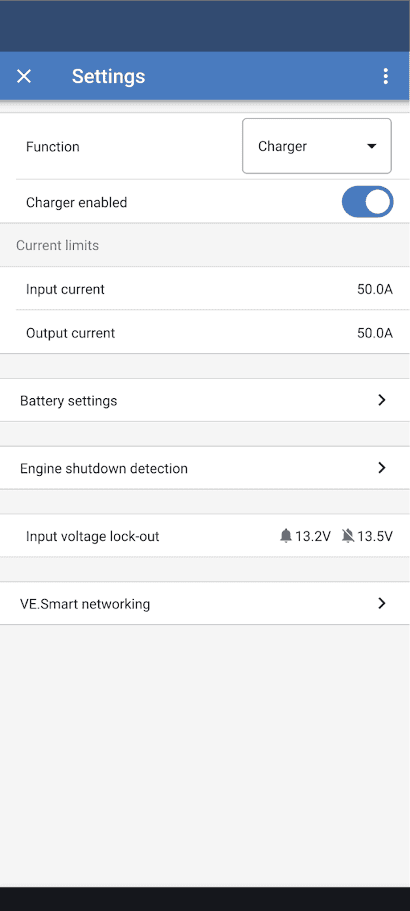
Settings
Function – Charger
Charger Enabled – On
Current limits
Input current – 50.0A
Output current – 50.0A
Battery settings (see below)
Engine shutdown detection (see below)
Input voltage lock-out – 13.2v 13.5v
Battery settings page
Battery preset – Smart lithium
Expert mode – Off
Charge voltage – 14.2v
Float voltage – Disabled
Storage Voltage – 13.5v
Equalisation voltage – Disabled
Voltage compensation – Disabled
Equalisation
Manual equalisation – greyed out
Battery limits
Low temperature cut-off – 0°C
Engine shutdown detection – search Victron forums for appropriate settings for your vehicle